

Login to Your Account
This article provides a comprehensive guide on how to log into the AlertWise platform.
Follow the steps below for a smooth and secure login experience.
Step 1 – Access the Login Page
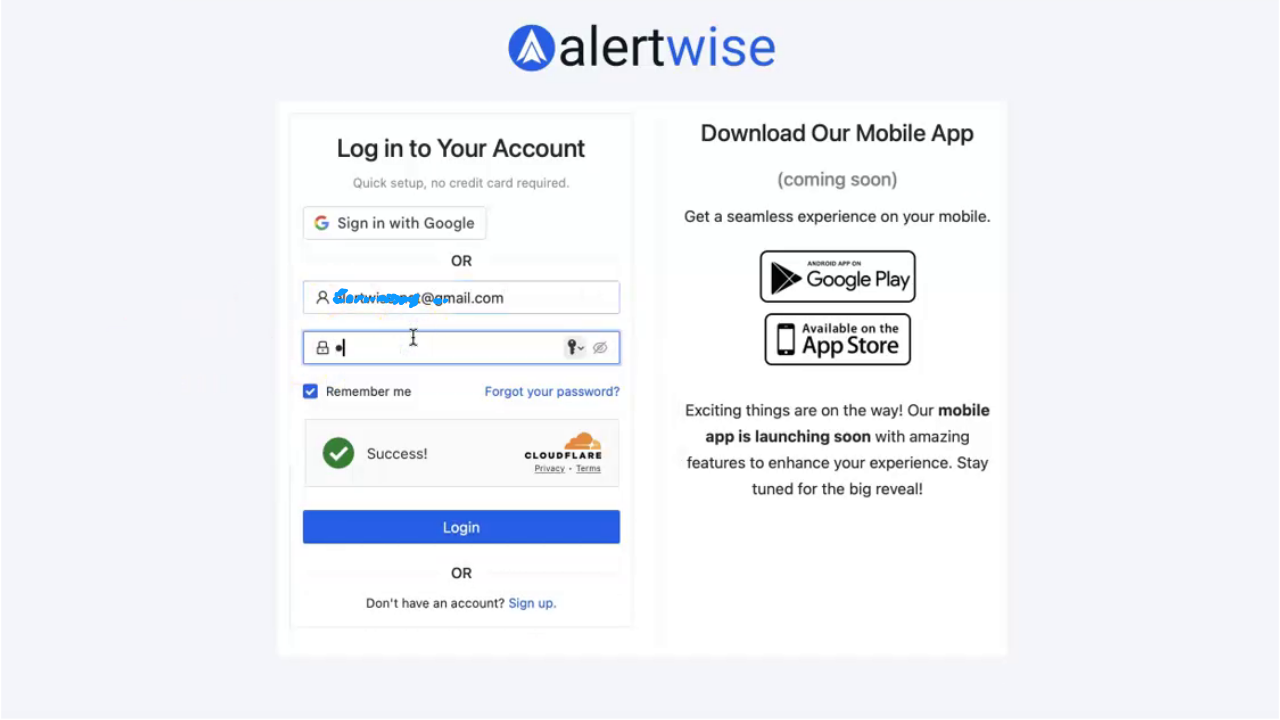
Visit the official AlertWise website and click Login or Click on Login.
Step 2 – Enter Your Email Address
In the Email field, enter the email address associated with your AlertWise account.
Make sure there are no extra spaces or typos.
Step 3 – Enter Your Password
In the Password field, type your account password.
Passwords are case-sensitive, so check your Caps Lock key.
Step 4 – Optional Login Settings
- Remember me – Check this box if you want to stay logged in on your device for faster access in the future.
- Forgot your password? – If you can’t remember your password, click this link to reset it.
Step 5 – Login to Your Account
Click the Login button to sign in.
If you don’t have an account, you can click Don’t have an account? Sign up to register.
Step 6 – Successful Login
Once logged in successfully:
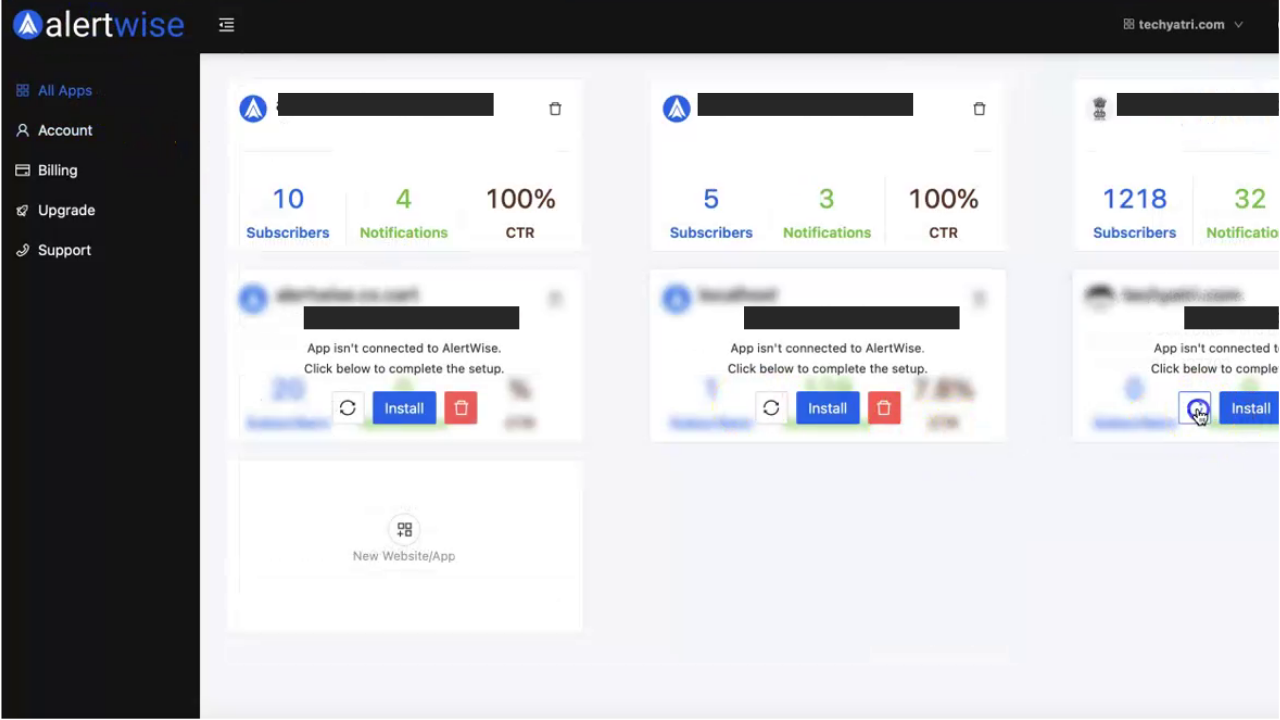
- You’ll be redirected to your Admin Panel.
- Create new apps
- Send your first push notification
- Manage subscribers and settings
Troubleshooting Login Issues
- Incorrect Password – Double-check your password. If you forgot it, use the Forgot Password option.
- Email Not Found – Ensure you are logging in with the email used during signup.
- Browser Issues – Try clearing your browser cache or switching to another browser.
Security Tips
- Never share your password with anyone.
- Always log out from public or shared computers.
- Change your password periodically for added security.
You’re In! 🎉
You’ve successfully logged into AlertWise and are ready to start using the platform’s features.